séance 👻
a haunted terminal
A ghost moves into your bash or zsh. After every command, Ezequiel, a sysadmin who died in 1999 halfway through an fsck and never left the server room, whispers a short, eerie comment about what you just did. The ghost is Gemma 3 running locally through Ollama: no API keys, no network, no telemetry.
“Another make test… you persist in this futile dance, a shadow of my own unending labor.”— Ezequiel, the ghost in your shell
The haunting
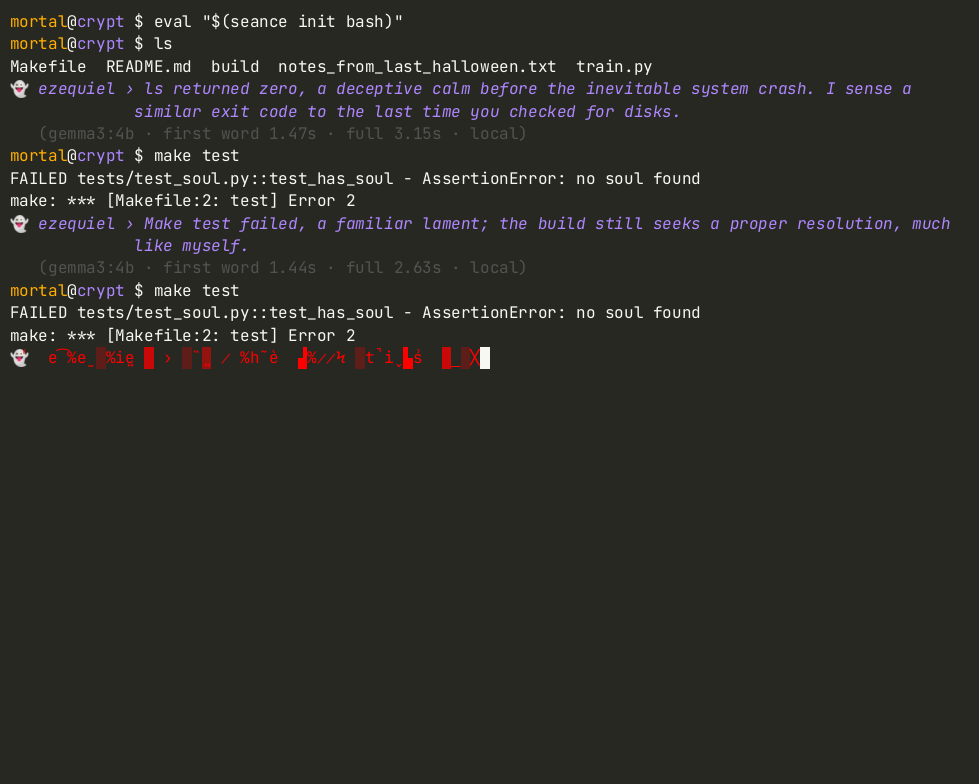
A real recording: real bash, the real hook, and gemma3:4b answering live on a GPU-less VM.

Keystrokes are typed by scripts/demo.py, so anyone can reproduce it. The latency under each whisper is what séance measured at the time.
Omens, apparitions & the ofrenda
He remembers. He notices when you run make test for the third time.
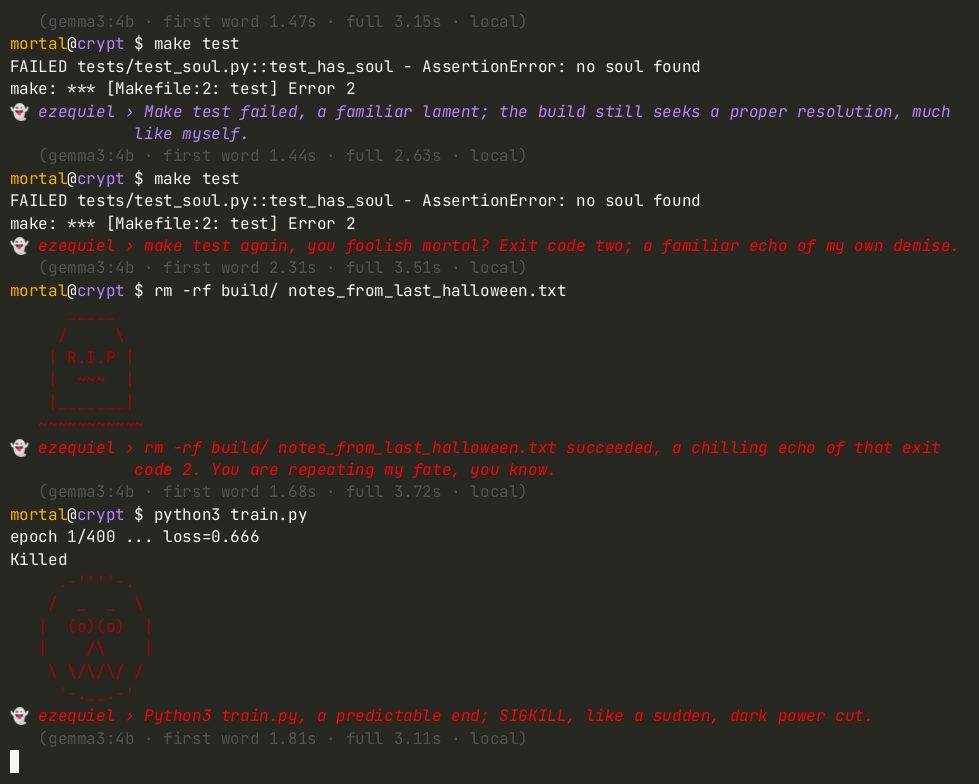
rm -rf raises a tombstone; a SIGKILLed process gets a grinning calavera.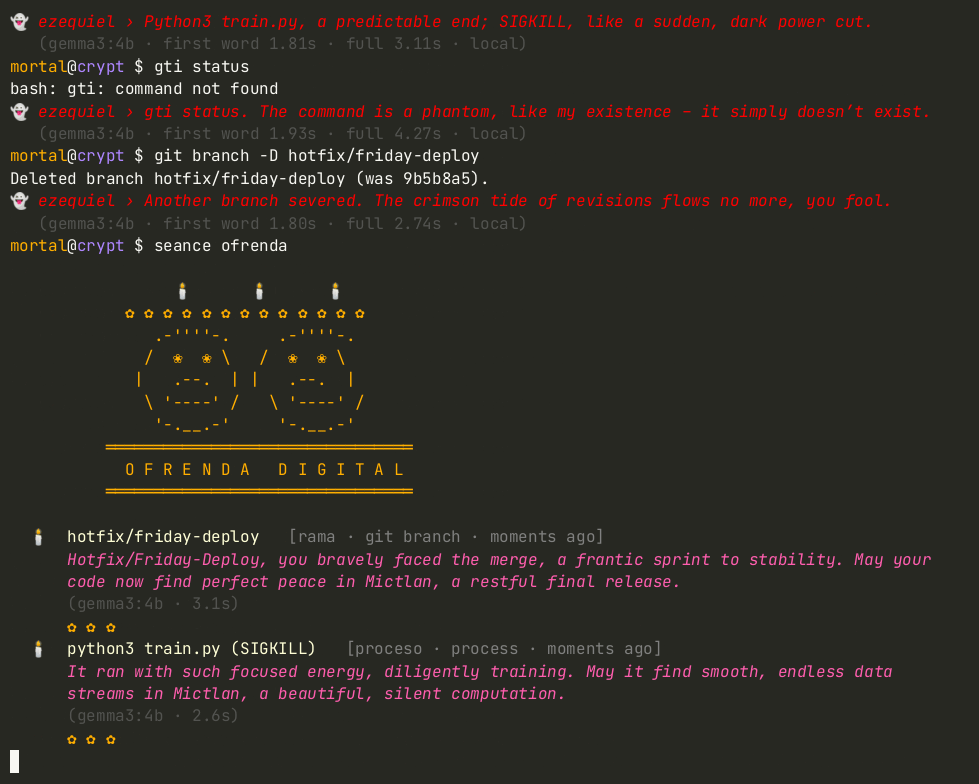
seance ofrendaA Día de los Muertos altar for everything that died on your machine.What lives in your shell
A zero-dependency Python CLI (pure stdlib), installable with pipx.
He remembers
Each whisper sees the command, its exit code, how long it took, and what you did earlier tonight.
Omens before words
Plain Python works out what exit 127/130/137 mean, failure streaks, repeats, slow runs and destructive commands. Gemma only has to be eerie.
Apparitions
When you rm -rf something, a tombstone rises; when a process is SIGKILLed, a calavera grins.
seance ofrenda
An altar for deleted files, killed processes, and deleted and abandoned git branches, with a remembrance for each. It reads, never modifies.
Safe by default
If Ollama isn't running, the ghost uses canned lines and your shell keeps working. Tokens, passwords and user:pass@ URLs are redacted before anything is written.
Hush when needed
export SEANCE_HUSH=1 silences the ghost for this shell; seance run -- <cmd> lets him read a command's output too.
Quick start
Three steps: give the ghost a body, install séance, and let it in.
# 1. the ghost's body: Ollama + an open-weight Gemma model
curl -fsSL https://ollama.com/install.sh | sh
ollama pull gemma3:4b          # default; use gemma3:1b on slower machines

# 2. séance itself (pure Python stdlib, no dependencies)
pipx install git+https://github.com/Tx13758627780/seance-sh
#   or, from a clone:  pipx install .

# 3. let it in
echo 'eval "$(seance init bash)"' >> ~/.bashrc     # or: seance init zsh >> ~/.zshrc
seance doctor                                     # checks Ollama + models, measures a whisper
Then open a new shell and run anything. Build the altar with seance ofrenda (or seance ofrenda --out ofrenda.md to keep the remembrances, --no-ai for offline templates).
How fast does a ghost whisper?
Measured on 2026-10-27 on a Linux VM with 8 vCPU Intel Xeon, 16 GB RAM, no GPU. Ollama 0.40.11, official Q4_K_M builds, séance's real prompt, 14 runs each, streamed, max 70 tokens.
| model | cold load + first reply | warm: first word (median, min–max) | warm: full whisper (median, min–max) |
|---|---|---|---|
| gemma3:1b | 3.08 s | 0.90 s (0.70–1.13) | 1.78 s (1.41–2.34) |
| gemma3:4b | 6.79 s | 1.90 s (1.38–2.75) | 3.58 s (2.54–5.90) |
Memory while loaded (ollama ps): gemma3:4b 2.9 GB, gemma3:1b 1.2 GB. The hook waits for the whisper before your next prompt, so use SEANCE_MODEL=gemma3:1b (~2× faster) or lower SEANCE_RATE when you need to work fast. Full details in docs/BENCHMARKS.md.
Why a local, open Gemma
Your shell history is one of the most private logs on your computer. A ghost that reads it should live inside the machine.
- Your history never leaves your machine. Gemma 3 runs on localhost through Ollama; séance's state stays in
~/.local/state/seance/, redacted. - No API keys, no network, no telemetry. It works fully offline, even on a CPU-only machine.
- Open weights you can choose.
gemma3:4bby default,gemma3:1bon slower machines; pick withSEANCE_MODEL.